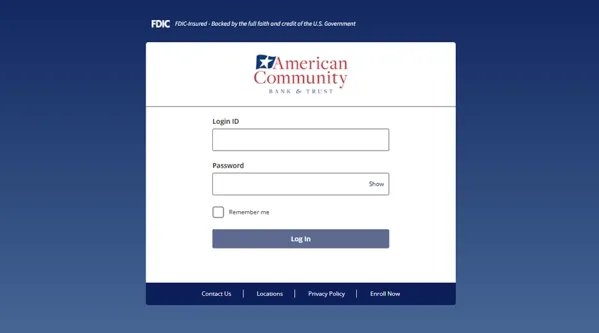
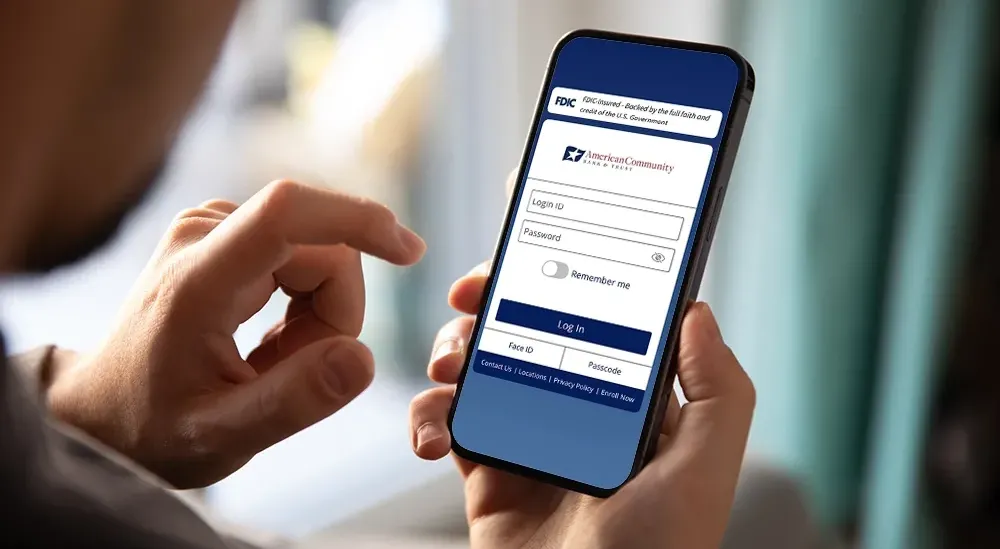
Manage Your Accounts Online ACBT's digital banking application for desktop and mobile devices allows you to access your accounts any time with a computer, smartphone, or tablet. Use digital banking to:
view current account balances. set up account alerts. review transaction history. transfer funds between accounts. make eligible loan payments. access eStatements. and more. Enroll in Digital Banking
NOTE: Digital banking features vary by account type and the services established for your relationship. Some services, such as ACH origination and wire transfers, are available only for commercial accounts. View Technology Requirements
Bank from Your Phone or Tablet The AmComBank mobile banking app provides access to all digital banking features from a compatible Apple or Android device. Mobile features include quick balance visibility, viewing account activity, transferring funds, approving business transactions, and depositing checks.
Our separate Mobile Banking App Mobile Deposit instructions, and related information.
View the Mobile Banking App
Digital Banking Features Select a topic below for more information. Available services and features may vary based on account type, enrollment, eligibility, and user permissions.
Account Alerts and Notifications Available alerts can help you monitor account and transaction activity. Set up alerts based on your preferences and review them periodically to confirm that they still meet your needs. Business clients may also receive notifications related to services such as Positive Pay exceptions and transaction approvals, depending on the services established for the business.
eStatements You can easily access your electronic statements through digital banking. eStatements are available on the business day after the statement date. The latest version of Adobe Reader is recommended for viewing electronic statements. Review the Digital Banking Technology Requirements for current software and browser requirements.
Transfers Between Accounts Digital banking allows clients to review accounts and transfer funds between accounts. Available transfer options depend on the accounts, services, and permissions associated with the digital banking relationship. Review transfer details carefully before submitting a transaction.
Mobile Banking and Mobile Deposit The AmCom Bank mobile banking app provides access to available digital banking features from a compatible Apple or Android device. Available features may include reviewing account balances and transactions, transferring funds, approving business transactions, and depositing checks. To make a mobile deposit, endorse the check and write “For Mobile Deposit Only” under the endorsement. Open the app, select “Deposit Check,” follow the prompts to photograph the front and back of the check, select the receiving account, and complete the deposit. A mobile device with a rear-facing camera of at least 5 megapixels is required for mobile deposit capture.
For app download links and additional instructions, visit the Mobile Banking App page or the Mobile Deposit page.
ACH Services for Businesses Business clients may use ACH services through digital banking to send or collect electronic payments. Common uses include payroll, vendor payments, rent or mortgage payments, direct deposits, and incoming client payments. Available ACH features may include initiating and approving transactions through digital banking or a mobile device, assigning user authorization levels, and establishing controls for originating and approving transactions.
ACH services must be established for the business. Contact Treasury Management to discuss available services and appropriate controls.
Wire Transfers for Businesses Business clients may initiate and approve domestic, international, and foreign exchange wire transfers through digital banking without visiting a bank location. Available wire features may include initiating transfers online, approving transfers from a mobile device, assigning user authorization levels, and establishing controls for originating and approving transactions.
Wire transfer services must be established for the business. Contact Treasury Management to discuss access, permissions, and available controls.
Account Security and Fraud Protection Digital banking uses multiple security controls to help protect account access and financial information. Multi-factor authentication is required for each login. Clients can help protect their accounts by using unique login credentials, keeping contact information current, reviewing account activity, using available alerts, and protecting authentication codes. Never provide a login password or authentication code in response to an unexpected email, text message, or phone call.
Business clients should establish user access and transaction authority based on each person’s responsibilities. Positive Pay and other Treasury Management services may provide additional controls for business accounts. If you notice suspicious activity or believe account information has been compromised, contact American Community Bank & Trust promptly at 815-338-2300 using a verified phone number.
Visit our Online Banking Security and Fraud Management Best Practices pages for additional information.
Technology Requirements Digital banking requires a supported computer or mobile operating system, compatible browser, and internet connection. The current technology requirements identify Google Chrome as the recommended browser for Windows and macOS. Supported browsers include Mozilla Firefox for Windows and macOS, Microsoft Edge for Windows, and Apple Safari for macOS.
Mobile banking requirements include Android 11.x or later, iOS 16.x or later, or watchOS 9.x or later. Limited support may be available for older operating systems.
Requirements may change as operating systems, browsers, devices, and digital banking services are updated. View Digital Banking Technology Requirements
Enrollment and First-Time Access Clients who are new to ACBT digital banking can begin enrollment by clicking below. Personal, business, and commercial banking clients use the same digital banking login page and app.
After enrolling through the website, download the AmCom Bank mobile banking app and use the applicable digital banking login credentials. For help with a login ID, password, enrollment, or access, call American Community Bank & Trust at 815-338-2300
Enroll in Digital Banking
Contact American Community Bank & Trust if you need help with enrollment, access, account permissions, or available digital banking services.
Contact Us
Apple, the Apple logo, and iPhone are trademarks of Apple Inc., registered in the U.S. and other countries and regions. App Store is a service mark of Apple Inc. Android, Google Play, and the Google Play logo are trademarks of Google LLC.